
Mute, but Make it Viral: How Subtitles Turn Silent Scrollers into Fans
Ever find yourself on TikTok at 2 AM, phone volume off, scrolling through video after video—yet still laughing, learning, or lingering just a little longer? You’re not alone. Over 85% of social media videos are watched on mute. Whether it’s a sleepy subway rider or someone pretending not to be on their phone in a Zoom meeting, the silent-scroll crowd is massive.
Which brings us to a quietly powerful truth: if your video doesn’t speak through subtitles, it might not speak at all. That’s why brands, influencers, and creators are now designing videos with text-first storytelling in mind. And tools like Pippit make it incredibly easy to pull this off—no advanced editing required. Whether you’re translating a makeup tutorial, stylizing a lip sync duet, or adding subtitles to a comedy skit, platforms like Pippit give you the tools to communicate even when the audio is off.
That’s the magic of a modern video translator—turning one piece of content into multiple, accessible formats for any audience, anywhere, any time (even at work, where we all pretend our headphones are dead).
Bold letters, bigger laughs: why captions carry comedy
There’s a reason the most iconic memes are just a freeze frame and a bold one-liner. The same rule applies to video content. While flashy transitions and sound effects have their place, a snappy caption—perfectly timed, brutally funny, or sharply sarcastic—can outperform even the most polished visuals.
Here’s a quick thought experiment:
Would you rather watch a 15-second video with a full cinematic intro, or one that opens with the words “me trying to explain crypto to my grandma” in all caps, center-screen?
The latter wins. Why? Because it immediately tells you what the joke is—and invites you to be in on it. This is where stylized captions shine. You’re not just transcribing dialogue; you’re delivering punchlines.
Creative ways to write viral subtitles
- Tone-switch for surprise: Let the visuals say “serious,” but the text scream “chaotic.” That contrast grabs attention.
- Add commentary within captions: Little side notes in parentheses or brackets let your captions talk back to your own video.
- Play with timing: Delay a punchline caption by half a second—it builds tension and lands better.
- Visual jokes: Replace sound effects with written ones like “(wheeze)“ or “(emotional damage incoming).“
Subtitles aren’t just supportive—they’re where your personality lives.
Subtitles generator: your viral growth assistant
All this creativity needs one reliable partner behind the scenes: a good subtitles generator. And not just one that churns out words—you need something that gives you design flexibility, accuracy, and speed. Enter Pippit.
With Pippit, you don’t have to jump between five editing apps to create one solid video. Instead, it bundles everything—auto-captions, styling options, and even translation—into a seamless dashboard. So you can focus on the sass, the storytelling, and the subtitle-magic.
Subtitles & scripts: generate captions for your videos with Pippit
Pippit is an all-in-one solution for your video generation project. Not only can you create and edit your personalized video, but you can also add subtitles for the convenience for your audience. Let’s get started:
Step 1: Create a video with subtitles
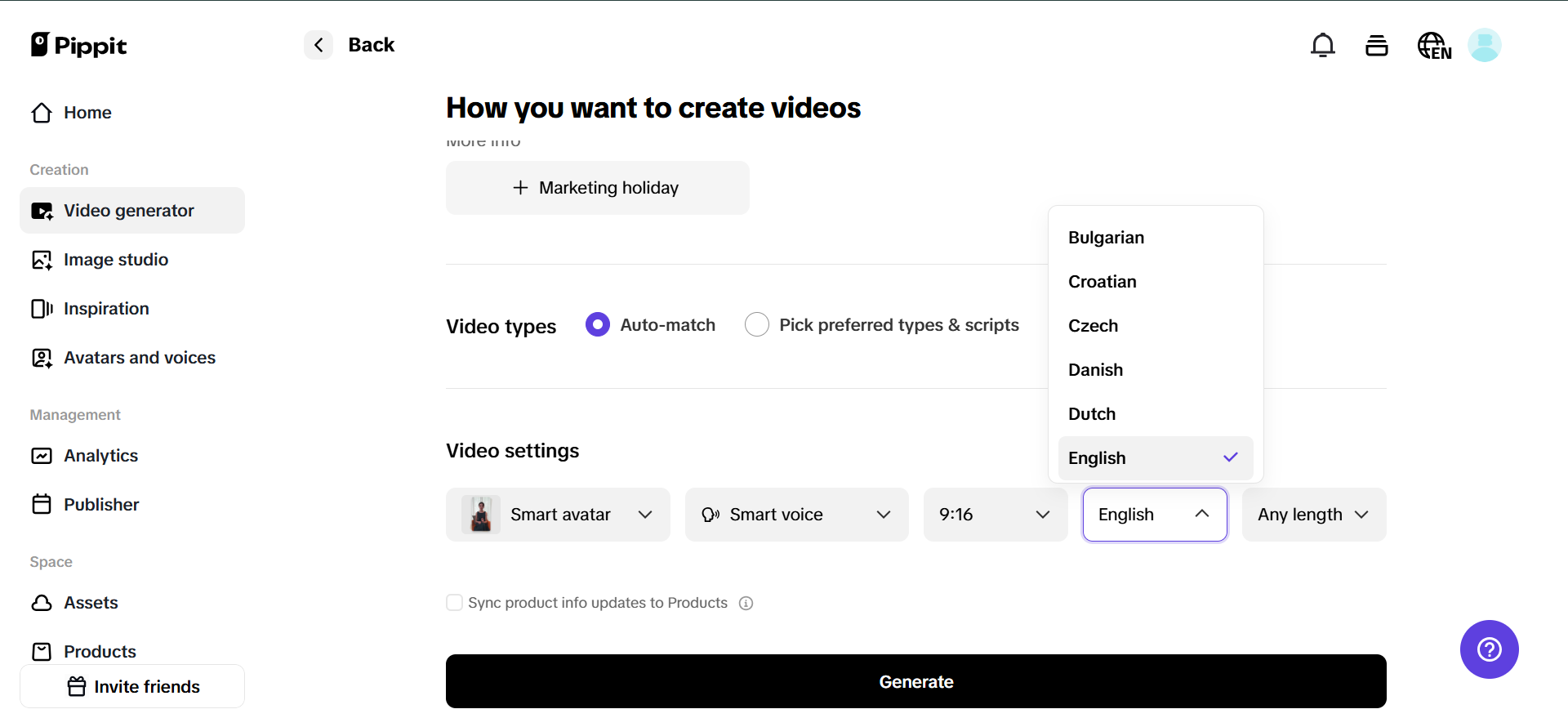
Begin by signing in to Pippit (there’s a free trial). Go to the “Video generator” on the home page. There, you can insert a product link or upload a video from your system. The AI does the rest, creating a draft video with subtitles.
Need the captions to feel like your brand’s personality? You can edit the text, change fonts, and change languages—so whatever you’re talking to sneaker heads or skincare enthusiasts about, your message hits visually and orally too.
Step 2: Upload video and generate auto-captions
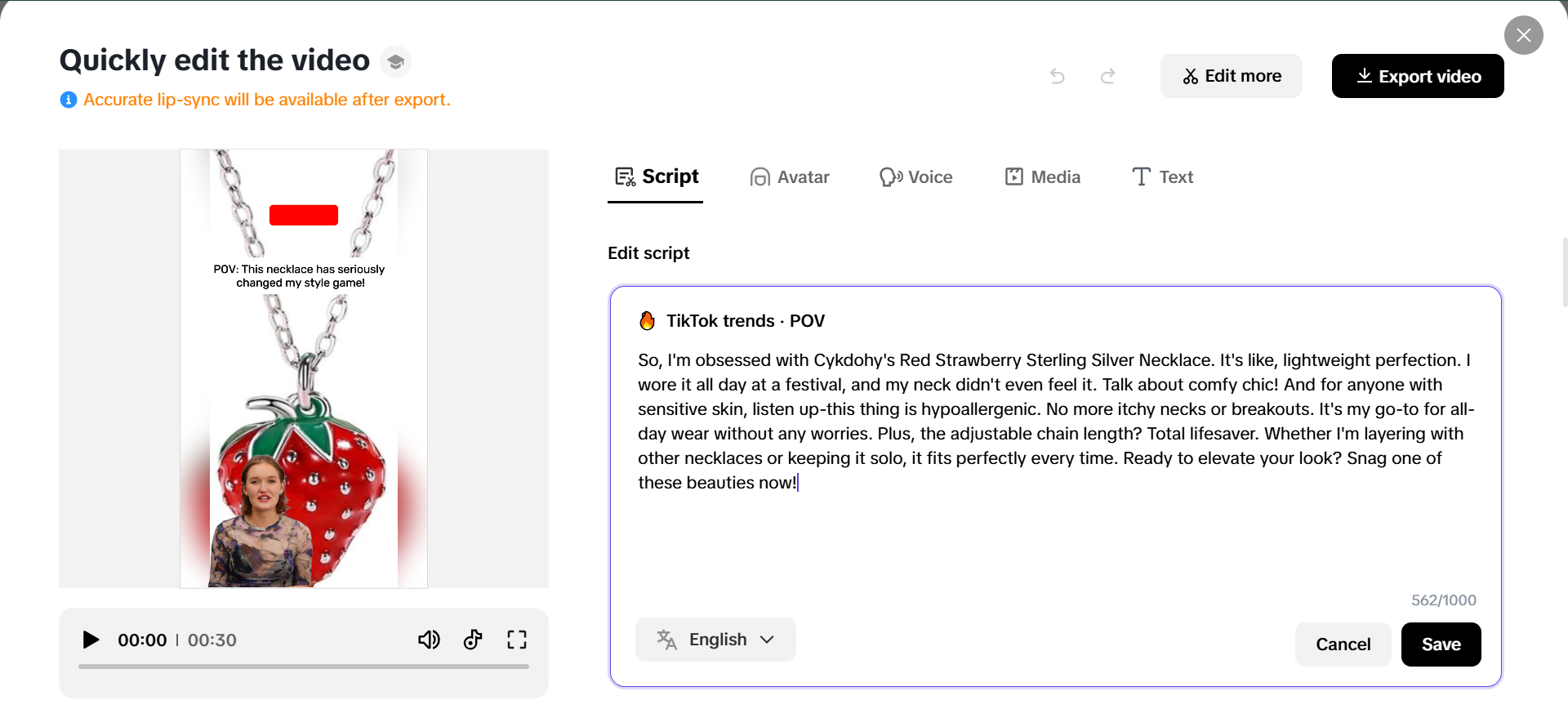
Once you’ve loaded your video, dive deeper into customization. Within the “Video editor” part of Pippit, you can upload from your device or even draw upon cloud storage. Turn on the “Auto-caption” switch and see the AI immediately caption your audio onto the screen.
Need those captions to appear as awesome as they sound? Pippit allows you to edit: font size and style, caption position on screen, and brand-aligned color schemes. It’s as if you’re hiring a personal stylist for your captions.
Step 3: Export & share video
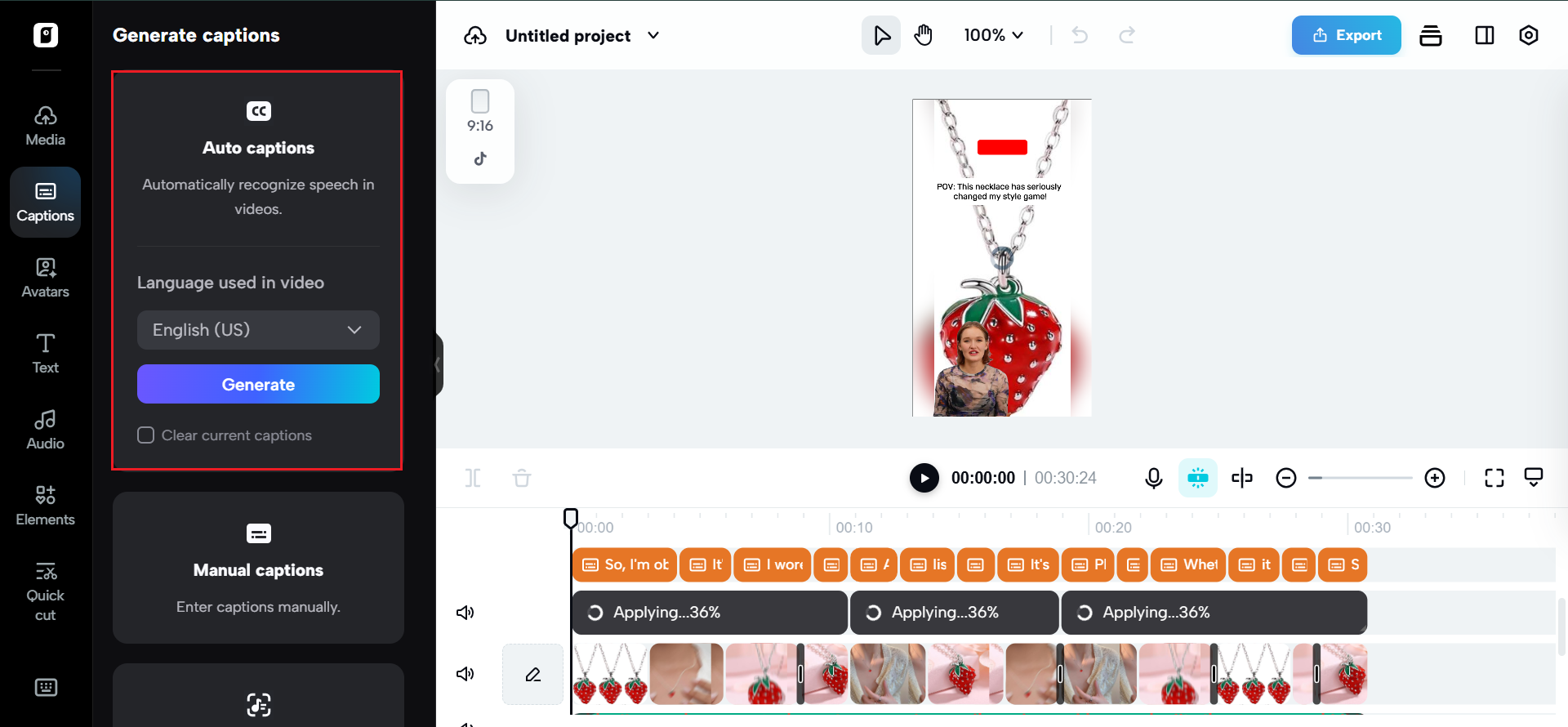
Once you’ve tailored your video and double-checked the subtitles are crisp and readable, click “Export.” Pippit outputs the high-res final cut, ready to share on your go-to platforms.
Need to get the word out fast? Leveraging Pippit’s native publisher, send it directly to TikTok, YouTube, or Instagram—or schedule for future drops to optimize reach. Regardless of where your crowd resides or scrolls, they’ll receive the message—even on silent mode.
Callouts that do more than explain
Subtitles are no longer confined to translating words or adding clarity. They’ve become content. Some creators now build their entire storytelling framework around the caption track—relying on callouts, on-screen dialogue, and narrative voice written directly into the frame.
Think about:
- Cooking videos where the ingredients are revealed via pop-up text.
- Lip syncs where the captions reveal what the creator wishes they were saying.
- Tutorials with sarcastic instructions like “step one: pray it works.“
It’s these moments—often small, text-based, and visually understated—that viewers screen-record, remix, and repost.
The story lives in the silence
We live in a scroll-first world where attention spans are short and volumes are often off. That’s not a limitation—it’s an opportunity. With the right subtitles, you can turn a silent moment into a loud brand statement. A sarcastic aside. A poetic lyric. A call to action that never needed sound to make an impact.
And thanks to tools like Pippit, that kind of storytelling is no longer a luxury—it’s a built-in feature. You don’t need editing teams or translators. Just your script, a sharp caption idea, and a few clicks.
Whether you’re creating memes, makeup tutorials, or mini-movies, let your words live boldly—right on screen.
Start generating viral-worthy captions with Pippit today. Try it free and let your subtitles do the talking.